Replying Message (Module)
Configuration guide for modules/chat/Player Reply Msg/config.yml.
Important
Set trigger and reply-id lifetime first, then tune suffix, click behavior, and notification channels.
Module Preview
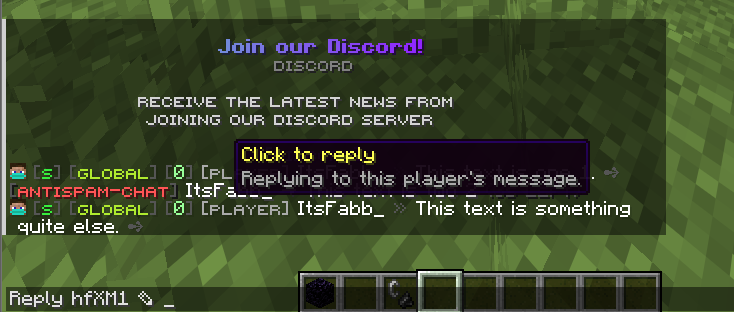

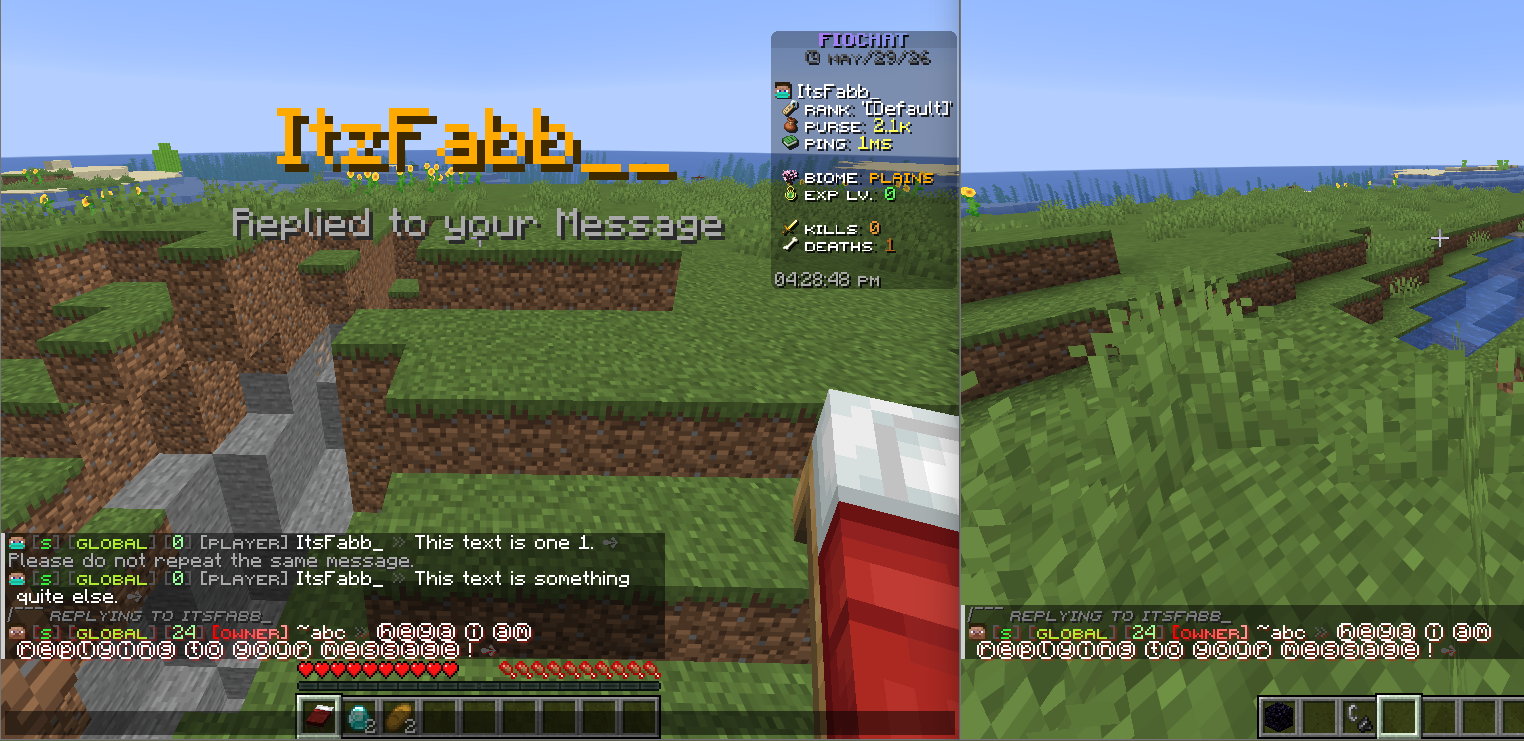

Configuration Files
modules/chat/Player Reply Msg/config.yml
Trigger and Reply-ID Core
Trigger Token Settings
settings:
  trigger:
    label: "Reply"
    marker: "R"
    case-sensitive: false
- Purpose: Defines the visible reply trigger syntax and matching behavior.
- Options:
label: keyword used in generated suggest command.marker: visual shorthand for reply prompt.case-sensitive: strict or flexible label matching.
Reply-ID Lifetime
settings:
  reply-id:
    ttl-millis: 604800000
- Purpose: Controls how long a generated reply-id remains valid.
- Options:
- Value is in milliseconds.
604800000equals 7 days.
Display Layer
Reply Suffix Token
display:
  suffix:
    format: " <dark_gray>></dark_gray>"
    suggest-command: "Reply %reply_id% R "
- Purpose: Adds clickable reply shortcut to messages.
- Options:
- Keep format compact to avoid chat clutter.
- Keep suggest-command ending with a trailing space for user typing flow.
Suffix Hover Context
display:
  suffix:
    hover:
      - "<yellow>Click to reply</yellow>"
      - "<gray>Reply to this message thread.</gray>"
- Purpose: Explains click behavior before execution.
- Options:
- Keep hover short and action-focused.
Reply Header Format
display:
  reply:
    header-format: "<#7a7a7a><italic><smallfont:replying to %chat_sender_name%></italic>"
- Purpose: Shows reply context above/before message content.
- Options:
- Include sender placeholder for clear thread orientation.
Validation Messages
Error States
messages:
  target-offline: "<gray>That player is no longer online.</gray>"
  empty-reply: "<gray>Your reply message cannot be empty.</gray>"
- Purpose: Handles common reply failure cases cleanly.
- Options:
- Keep wording direct and user-friendly.
Notification Channels
Title Notification
notify:
  title:
    enabled: true
    title: "<gold>%player_name%</gold>"
    subtitle: "<gray>Replied to your message</gray>"
    fade-in: 5
    stay: 40
    fade-out: 10
- Purpose: High-visibility recipient notification for replies.
- Options:
- Lower
stayfor less intrusive feel.
- Lower
Actionbar and Sound Notification
notify:
  actionbar:
    enabled: false
    text: "<white>%player_name%</white> <gray>replied to your message</gray>"
  sound:
    enabled: true
    name: "ENTITY_EXPERIENCE_ORB_PICKUP"
    volume: 1.0
    pitch: 1.2
- Purpose: Lightweight alternatives/additions to title alerts.
- Options:
- Enable actionbar when title is disabled.
Recommended Profiles
Minimal Reply Format
notify:
  title:
    enabled: false
  actionbar:
    enabled: true
  sound:
    enabled: false
- Result: low-noise reply acknowledgement.
Full Context Reply Format
display:
  suffix:
    hover: ["<yellow>Click to reply</yellow>"]
notify:
  title:
    enabled: true
  sound:
    enabled: true
- Result: strong discoverability + clear feedback.
Owner Validation
- Test reply flow from clickable suffix and manual command input.
- Test expired reply-id handling.
- Test offline target and empty reply message paths.
- Verify title/actionbar/sound notifications do not overlap with PM alerts.