Chat History Config
Source file:
modules/chat/Chat History/config.yml
The Chat History module stores and displays chat history records for players. In the current build, it is a standalone module, not a chat-management sub-module.
The module is controlled by the master toggle modules.chat-history in modules/settings.yml.
The history UI is split into two separate GUI files:
modules/chat/Chat History/admin/chat-history/browser.yml
modules/chat/Chat History/admin/chat-history/history.yml
Module Preview
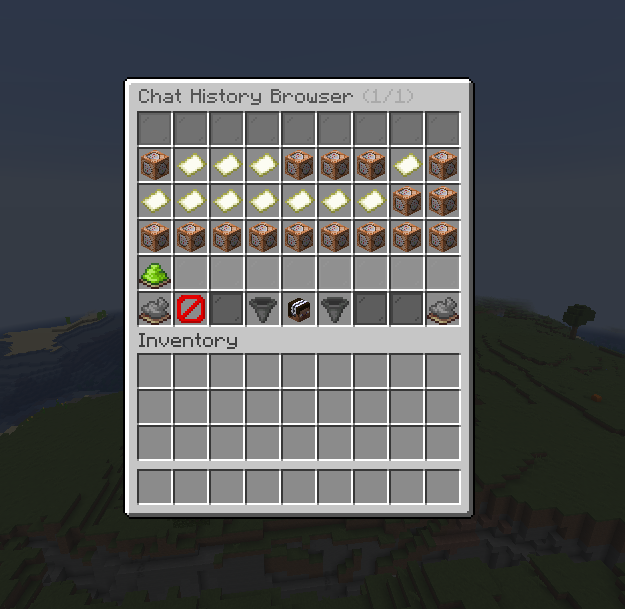
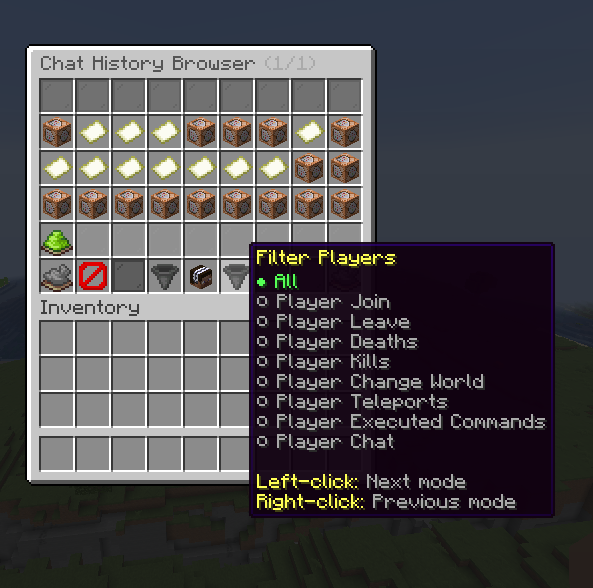
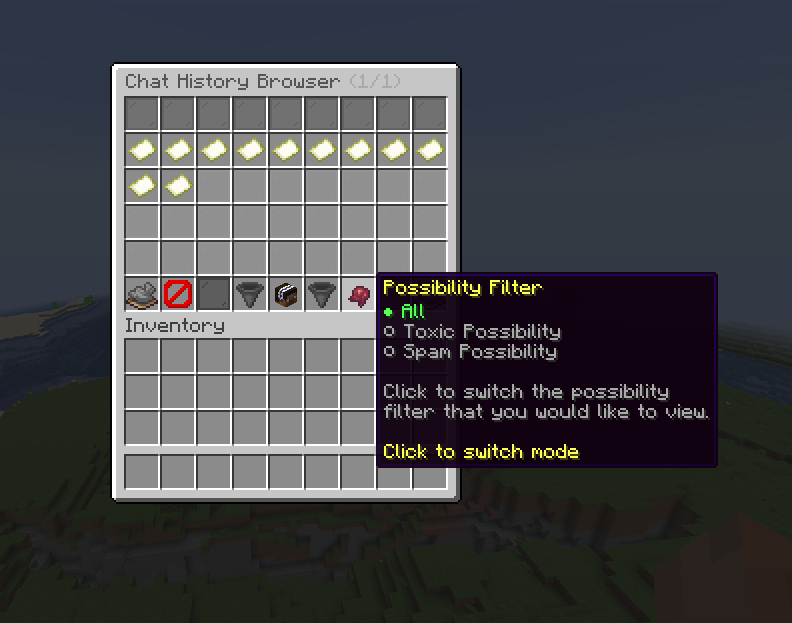
Commands
The source comments document these admin commands:
/fiochat admin history [player]
/fiochat admin history <filter> <player>
modules.chat-history
modules:
  chat-history: true
This is the master toggle for the module. The current default is true.
When it is disabled, FioChat does not register the Chat History menu listener or the related chat-history storage and GUI behavior.
settings.debug-log
settings:
  debug-log: false
settings.debug-log controls module debug logging. The current value is false.
When enabled, FioChat can write extra diagnostic details while loading history data, trimming entries, and opening history GUIs. It does not change what history is stored.
settings.max-entries-per-player
settings:
  max-entries-per-player: 400
settings.max-entries-per-player controls how many chat history entries are retained for each player.
The current default is 400. Older entries are trimmed automatically when the limit is reached.
browser.yml
browser.yml controls the first history browser menu. This menu lists players who have saved chat history and lets admins open a specific target.
title
title: "<dark_gray>Chat History Browser</dark_gray> <gray>(%page%/%max_page%)</gray>"
This is the title shown at the top of the browser inventory.
rows
rows: 6
This sets the inventory size for the browser menu.
content-slots
content-slots:
  - "9-44"
These are the slots used for player entries.
target-item
target-item:
  material: "PLAYER_HEAD"
  name: "<yellow>%player%</yellow>"
This item represents one player in the browser list.
The current lore shows:
%player%
%platform%
%warn_points%
%history_entries%
%blocked_entries%
%last_activity%
sort
sort:
  slot: 48
  material: "HOPPER"
This controls the sort toggle item.
The current action aliases documented in source include:
TOGGLE_SORT
TOGGLE_BROWSER_SORT
SORT_TOGGLE
filter
filter:
  slot: 50
  material: "HOPPER"
This controls the browser filter toggle item.
The current action aliases documented in source include:
TOGGLE_FILTER
TOGGLE_BROWSER_FILTER
FILTER_TOGGLE
info
info:
  slot: 49
  material: "BOOK"
This item shows summary information about the browser state.
buttons
The browser menu includes these navigation buttons:
previous
back
next
The current source also documents these aliases:
PREVIOUS_PAGE
NEXT_PAGE
BACK
CLOSE
history.yml
history.yml controls the detailed history view for one selected player.
title
title: "<dark_gray>Chat History: <black>%target%</black>"
This is the inventory title for the detailed view.
rows
rows: 6
This sets the inventory size for the detailed view.
content-slots
content-slots:
  - "9-44"
These are the slots used for the chat history entries.
entry-materials
The detailed view defines per-entry materials for history types such as:
player_chat
player_join
player_leave
player_deaths
player_kills
player_change_world
player_teleports
player_executed_commands
anti_unicode
anti_advertising
anti_swear
anti_spam
anti_caps
anti_flood
Each entry type currently defines:
material
name
lore
actions
sort
sort:
  slot: 48
  material: "CLOCK"
This controls the sort item in the detailed history view.
filter
filter:
  slot: 50
  material: "HOPPER"
This controls the filter item in the detailed history view.
possibility-filter
possibility-filter:
  slot: 51
  material: "FERMENTED_SPIDER_EYE"
This is specific to the detailed history menu and controls the possibility filter mode shown there.
info
info:
  slot: 49
  material: "PLAYER_HEAD"
This item shows the selected target and the current filter state.
buttons
The detailed view includes these navigation buttons:
previous
back
next
Action Aliases
Both GUI files use case-insensitive action aliases.
Common aliases documented in the source include:
TOGGLE_SORT
TOGGLE_FILTER
TOGGLE_POSSIBILITY_FILTER
PREVIOUS_PAGE
NEXT_PAGE
BACK
CLOSE
Legacy Path Note
The active config path for this build is:
modules/chat/Chat History/config.yml
The plugin can still migrate older chat-history paths from:
modules/chat-history/config.yml
modules/chat-history/admin/chat-history/history.yml
modules/chat-history/admin/chat-history/browser.yml
gui/chat-history.yml
gui/admin/chat-history.yml
This page follows the current split-file layout used by the build.
This page is source-backed and includes a short callout so the content reads like a guide instead of plain reference text.