Auto Reply Config
Source file:
modules/chat/Bot Replying/config.yml
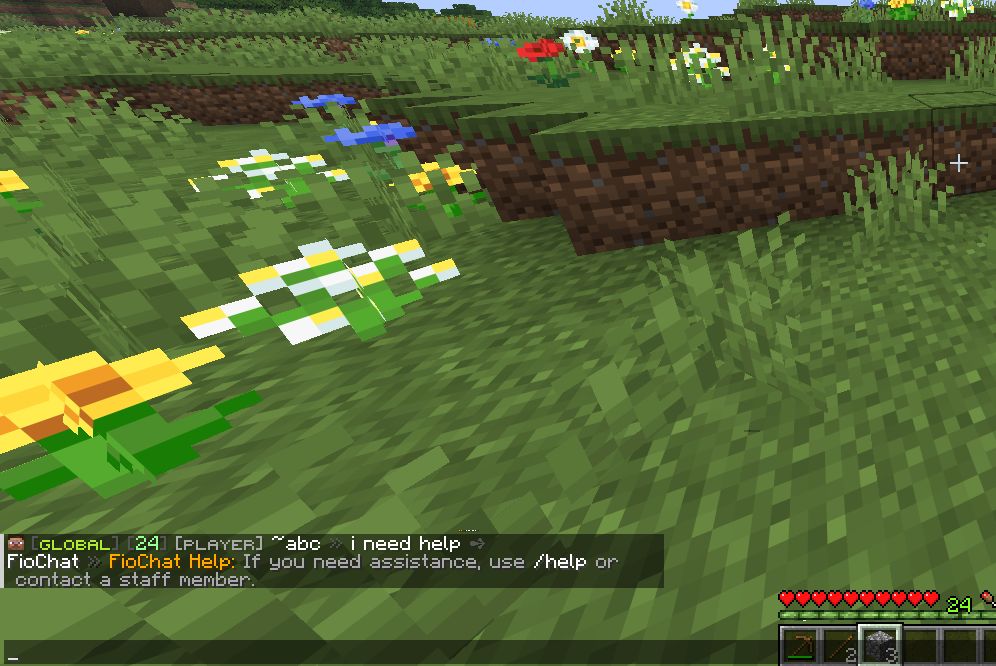
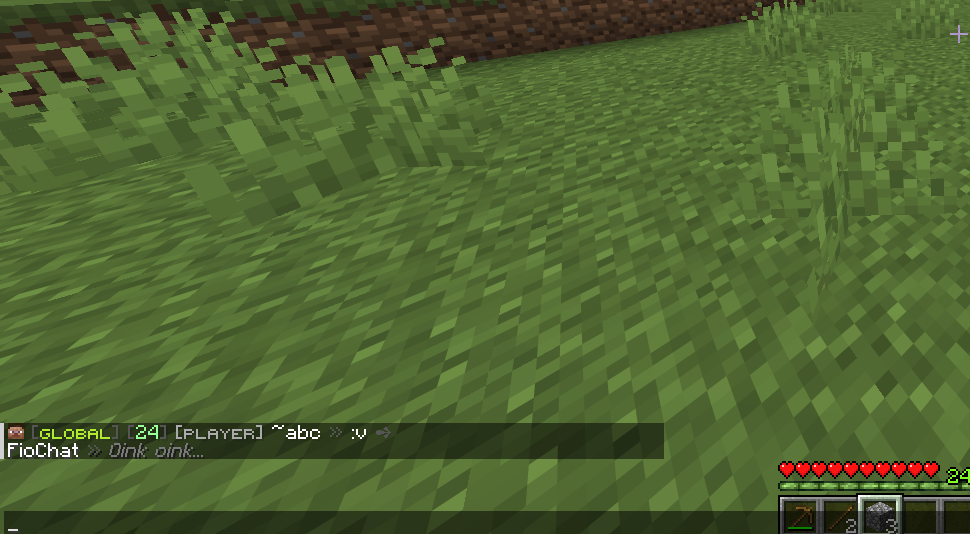
The Auto Reply module watches public chat and sends configured bot responses when a player's message matches one of the configured reply rules. The module is controlled by modules.auto-reply in modules/settings.yml.
The current default for modules.auto-reply is true.
Module Preview
settings.debug-log
settings:
  debug-log: false
settings.debug-log controls debug logging for this config through FioChat's module debug system. The current value is false.
When enabled, debug output for the message service can include auto-reply reload details, matched rule information, and failures while sending titles, actionbars, bossbars, sounds, or commands. It does not change which messages match, does not bypass cooldowns, and does not force a response.
auto-reply.require-question-mark
auto-reply.require-question-mark controls the default fallback reply detector. The current value is true.
This setting does not block structured rules under auto-reply.replies and does not block legacy rules under auto-reply.rules. Those rules match according to their own matcher and filters. This key only matters when no configured rule matches and auto-reply.default-reply.enabled is true.
When true, the default fallback only considers a message question-like if it contains ?. When false, a message can also be treated as question-like if it starts with common question words such as who, what, when, where, why, how, can, do, does, is, or are.
auto-reply.cooldown-seconds
auto-reply.cooldown-seconds controls the per-player cooldown for the default fallback reply. The current value is 15.
The value is converted to milliseconds. Negative values are clamped to 0, which disables this fallback cooldown. Structured rules can have their own per-player and global cooldowns under filters; legacy rules use this global fallback cooldown as their per-player cooldown.
auto-reply.bot-name
auto-reply.bot-name is the bot name used in placeholders. The current value is FioBot.
The value is available as %bot_name% in response lines, titles, actionbars, bossbars, commands, hover text, and the global auto-reply format. The service also supports the older alias auto-reply.bot.
auto-reply.format
auto-reply.format wraps every chat reply line sent by Auto Reply. The current value is:
format: "<gray>[<white>%bot_name%</white><gray>]</gray> <white>%message%</white>"
When a rule response line is selected, FioChat first resolves that line and then stores the resolved line as %message%. The format is applied afterward. This means %message% in the format is the bot's reply text, not the player's original question. The player's original chat input is available as %question%, %input%, or %message_input%.
The service also supports the older alias auto-reply.line-format.
auto-reply.hover
auto-reply.hover defines hover text attached to the formatted chat reply. The current value is:
hover:
  - "<gray>Automatic reply</gray>"
Multiple hover lines are joined into one hover component. Placeholders are resolved before display. If the hover resolves to blank, FioChat sends a normal chat line without hover components.
auto-reply.default-reply.enabled
auto-reply.default-reply.enabled controls whether FioChat sends a fallback response when no structured or legacy rule matches. The current value is false.
When false, unmatched messages are ignored. When true, FioChat checks auto-reply.require-question-mark, checks the fallback cooldown, and then sends auto-reply.default-reply.lines only to the player who asked the message.
auto-reply.default-reply.lines
auto-reply.default-reply.lines is the fallback reply body. The current default contains:
- "<gray>I do not have an answer for that yet.</gray>"
These lines are sent through the global auto-reply.format, so the visible output still includes %bot_name% and the bot prefix unless you change the format.
auto-reply.replies
auto-reply.replies contains the structured rule system. These rules are loaded first, then legacy auto-reply.rules entries are loaded after them. All loaded rules are sorted by priority before matching.
The current structured rule ids are server-ip-advanced, discord-advanced, vote-advanced, welcome-broadcast, and support-escalation.
auto-reply.replies.<id>.enabled
enabled controls whether a structured rule is loaded. The current structured rules all set enabled: true.
If this is false, the rule is skipped during reload. It will not match, will not consume cooldowns, and will not run any response channels.
auto-reply.replies.<id>.priority
priority decides which matching rule is evaluated first. Higher priority wins. The current highest priority rule is support-escalation at 120, followed by server-ip-advanced at 100, discord-advanced at 90, vote-advanced at 80, and welcome-broadcast at 70.
Only the first matching rule dispatches. If two rules have the same priority, the service sorts by rule id case-insensitively.
auto-reply.replies.<id>.match.type
match.type selects the matcher. Supported structured types are exact, contains, regex, starts_with, ends_with, keywords, and multi.
Aliases are supported: equals means exact, startswith means starts_with, endswith means ends_with, and keyword or intent means keywords. Unknown match types fall back to contains.
match.type: "regex"
Regex matchers use Java regular expressions with case-insensitive and Unicode-case flags. The matcher calls find(), so the pattern can match anywhere unless you anchor it with ^ and $.
Current regex examples:
value: "\\b(server\\s*ip|ip address|what('?s| is) the ip)\\b"
value: "^hello bot[!?]*$"
value: "\\b(help|admin|staff|moderator)\\b"
If the regex is invalid, the rule simply does not match.
match.type: "multi"
multi combines child matchers from match.entries. The current discord-advanced rule uses it with logic: "OR".
With OR, any child matcher can match. With AND, every child matcher must match. Each child entry uses the same structured matcher shape, such as type: "contains" with a value, or type: "regex" with a value.
match.type: "keywords"
keywords uses normalized keyword matching. The current vote-advanced rule uses:
keywords_any:
  - "vote"
  - "voting"
  - "vote link"
keywords_exclude:
  - "devote"
Keyword matching lowercases text, removes punctuation into spaces, compresses whitespace, and then checks whole keywords or phrases. keywords_exclude blocks the match first. keywords_all can require every listed keyword or phrase. minimum_any_matches can require more than one keywords_any match and defaults to 1.
auto-reply.replies.<id>.match.value
match.value is used by simple matchers: exact, contains, regex, starts_with, and ends_with.
For exact, FioChat checks full case-insensitive equality first. It also treats the value as a standalone token or phrase inside a longer message, so short entries can still trigger when surrounded by boundaries.
auto-reply.replies.<id>.filters
filters are optional extra requirements applied after the matcher succeeds. The current default file only uses filters.min_length on support-escalation, but the service supports more filter keys.
If any filter fails, the rule does not dispatch and matching continues to the next rule.
filters.min_length
filters.min_length requires the trimmed player message to have at least that many characters. The current support-escalation rule uses 4.
This prevents very short inputs from triggering staff-help logic unless the message has enough content to be intentional.
filters.max_length
filters.max_length is supported even though it is not present in the current defaults. It rejects messages longer than the configured number of characters.
If omitted, it behaves as Integer.MAX_VALUE.
filters.worlds_mode and filters.worlds
These keys restrict rules by world. worlds_mode accepts blacklist, deny, whitelist, allow, or no effective mode. The default mode for structured rules is blacklist.
With whitelist mode, the player's world must be listed. With blacklist mode, the player's world must not be listed. World names are compared case-insensitively.
filters.channels_mode and filters.channels
These keys restrict rules by active FioChat channel. The service asks ChatChannelService for the sender's active channel id and falls back to global when no channel service or active channel is available.
The mode behavior is the same as world filters: whitelist requires the channel to be listed, blacklist rejects listed channels.
filters.require_permission
filters.require_permission requires the sender to have a permission before the rule can fire.
This is useful when a bot reply should only answer staff, donors, or players who have unlocked a feature.
filters.deny_permission
filters.deny_permission blocks the rule when the sender has the specified permission.
This is useful for preventing a basic help reply from triggering for staff or bypass groups.
filters.require_gamemode and filters.deny_gamemode
These filters compare against the sender's Bukkit GameMode. Values are parsed case-insensitively into Bukkit enum names such as SURVIVAL, CREATIVE, ADVENTURE, or SPECTATOR.
Invalid gamemode names are ignored while loading.
filters.require_op and filters.deny_op
require_op makes the rule staff/op-only by requiring sender.isOp(). deny_op blocks operators from triggering the rule.
Both default to false.
filters.require_starts_without_prefixes
This list rejects messages that start with any configured prefix. Legacy rules default this list to /, which prevents command-looking input from triggering old rule entries.
Structured rules default to an empty list unless you configure it.
filters.chance
filters.chance is a percentage from 0.0 to 100.0. The service clamps values outside that range.
At 100, the rule always passes the chance check. Below 100, FioChat uses random selection each time the matcher and other filters pass.
filters.per_player_cooldown_seconds
This gives one structured rule its own cooldown per player. It is independent from auto-reply.cooldown-seconds.
If a player triggers that rule, the same player cannot trigger that same rule again until the cooldown expires. Other rules can still match unless their own filters or cooldowns block them.
filters.per_rule_global_cooldown_seconds
This gives one structured rule a global cooldown shared by all players.
If one player triggers the rule, nobody can trigger that same rule again until the global cooldown expires.
auto-reply.replies.<id>.response.audience
response.audience decides who receives visual response channels. The current defaults use player for most rules and all for welcome-broadcast.
Supported values include player, sender, self, all, *, permission, players-with-permission, and staff. permission and players-with-permission require response.permission_audience. staff uses response.permission_audience when set, otherwise it defaults to fiochat.admin.
Console and player commands can still run even when there are no visual recipients.
response.permission_audience
permission_audience is used when the audience is permission-based or staff-based.
For permission or players-with-permission, empty permission means no recipients are added. For staff, empty permission falls back to fiochat.admin.
response.mode
response.mode controls whether response.replies are sent as chat. It defaults to chat.
If the mode is not chat, the rule can still send actionbar, title, bossbar, sound, or commands, but response.replies are not sent as chat lines.
response.replies
response.replies is the list of chat reply lines for the rule. The current defaults use simple list entries.
The loader also supports weighted entries:
replies:
  - text: "<gray>First possible answer.</gray>"
    weight: 70
  - text: "<gray>Second possible answer.</gray>"
    weight: 30
When randomize_replies is false, every reply line is sent in order. When it is true, one weighted reply is selected.
response.randomize_replies
randomize_replies is supported and defaults to false. It is not present in the current default rules.
When true, the service treats response.replies as a weighted pool and sends one selected line. Entries with zero weight cannot be selected. If all weights are zero, no chat line is sent.
response.delay_ticks
delay_ticks delays the dispatch after a rule has matched. It defaults to 0.
The rule cooldown is applied before scheduling the delayed dispatch. If the player logs out before the delay finishes, the dispatch is skipped because the service resolves the live player again before executing.
response.actionbar.enabled
This controls whether an actionbar response is sent. Current enabled examples are server-ip-advanced, discord-advanced, and support-escalation.
The actionbar is sent to the resolved audience, not necessarily only to the sender.
response.actionbar.text
This is the actionbar text. It supports placeholders and FioChat color formatting.
Current examples include the server IP, the Discord invite, and /report staff-help guidance.
response.title.enabled
This controls whether a Minecraft title is sent. Current enabled examples are discord-advanced and support-escalation.
If both title and subtitle resolve to blank, no title is sent. If the title is blank but subtitle is not, FioChat sends a single-space title so the subtitle can still display.
response.title.title
This is the large title text. Current examples include <aqua>Discord Community and <red>Need Staff Help?.
It supports placeholders and FioChat formatting.
response.title.subtitle
This is the smaller subtitle text under the title. Current examples include <white>discord.gg/example</white> and <white>Use /report or open a ticket</white>.
response.title.fade_in
fade_in controls the title fade-in duration in ticks. Current title-enabled rules use 5.
If omitted, the service defaults to 10.
response.title.stay
stay controls how long the title stays fully visible. Current values are 50 for Discord and 40 for support escalation.
The service enforces at least 1 tick.
response.title.fade_out
fade_out controls the title fade-out duration in ticks. Current title-enabled rules use 10.
response.bossbar.enabled
This controls whether a temporary bossbar is displayed. Current enabled examples are welcome-broadcast and support-escalation.
The bossbar is created per recipient and removed after response.bossbar.seconds.
response.bossbar.title
title is the bossbar text. The service also supports response.bossbar.text; if text exists, it is used before title.
Current examples include %player_name% said hello to %bot_name% and Need help? /report.
response.bossbar.color
color is parsed as a Bukkit BarColor. Current defaults use YELLOW and RED.
Invalid values fall back to YELLOW.
response.bossbar.style
style is parsed as a Bukkit BarStyle. Current defaults use SOLID.
Invalid values fall back to SOLID.
response.bossbar.progress
progress controls the filled amount of the bossbar. The current defaults use 1.0.
The service clamps the value between 0.0 and 1.0.
response.bossbar.seconds
seconds controls how long the bossbar remains visible. Current examples use 3 and 4.
The service enforces at least one second.
response.sound.enabled
This controls whether a sound is played. Current enabled examples are server-ip-advanced, vote-advanced, and support-escalation.
The sound is played to each visual recipient in the response audience.
response.sound.sound
sound is the Bukkit sound name. Current values include ENTITY_EXPERIENCE_ORB_PICKUP, BLOCK_NOTE_BLOCK_PLING, and BLOCK_NOTE_BLOCK_BELL.
If the compatibility resolver cannot resolve the sound, no sound is played.
response.sound.volume
volume is passed to Bukkit's sound playback call. Current defaults use 1.0.
response.sound.pitch
pitch is passed to Bukkit's sound playback call. Current values include 1.15, 1.2, and 1.0.
response.commands.console
Console commands are dispatched from the server console after placeholders and formatting are resolved and color codes are stripped.
The current support-escalation rule runs:
- "say [AutoReply] %player_name% requested staff help."
If a configured command starts with /, the slash is removed before dispatch.
response.commands.player
Player commands are dispatched as the sender. The current vote-advanced rule runs:
- "vote"
Use this only for commands the triggering player should execute. The sender must still be online when the response dispatch runs.
response.log_trigger
log_trigger is supported and defaults to false. If a rule response has this false, the matched-rule debug line is suppressed for that rule. The default fallback always logs through the default path when debug logging is active.
Auto Reply placeholders
Response text, hover text, titles, actionbars, bossbars, and commands can use:
%player%
%player_name%
%question%
%input%
%message_input%
%bot_name%
%channel%
%channel_id%
%world%
%rule_id%
%message%
%message% is special in the global format: for chat replies, it becomes the resolved bot reply line. The original player input remains available through %question%, %input%, and %message_input%.
Current structured replies
server-ip-advanced has priority 100, uses a regex for server IP questions, replies only to the player, sends the server IP in chat, shows an actionbar, and plays ENTITY_EXPERIENCE_ORB_PICKUP.
discord-advanced has priority 90, uses a multi matcher with discord contains or a Discord regex, replies only to the player, sends a chat line, title, and actionbar.
vote-advanced has priority 80, uses keyword matching for vote-related phrases while excluding devote, replies only to the player, runs the vote player command, and plays BLOCK_NOTE_BLOCK_PLING.
welcome-broadcast has priority 70, matches exactly hello bot with optional ! or ?, sends the reply to all online players, and shows a yellow bossbar for three seconds.
support-escalation has priority 120, matches help/staff/admin/moderator words, requires at least four characters, replies to the player, runs a console log command, sends a title, actionbar, red bossbar, and bell sound.
auto-reply.rules
auto-reply.rules is the legacy rule format. It is still loaded after structured replies.
The current legacy rule ids are server-ip, discord, website, how-to-claim, and vote.
Legacy rules are converted into normal auto-reply rules with priority 0, OR logic across their triggers, audience player, chat mode, no actionbar/title/bossbar/sound/commands, and per-player cooldown inherited from auto-reply.cooldown-seconds.
auto-reply.rules.<id>.enabled
This controls whether a legacy rule is loaded. All current legacy defaults set it to true.
auto-reply.rules.<id>.triggers
triggers is the list of input phrases for a legacy rule. The loader also supports old aliases named keywords and match.
Each trigger becomes one child matcher. The legacy rule matches when any child matcher matches.
auto-reply.rules.<id>.match-mode
match-mode controls how legacy triggers are interpreted. Current defaults use contains.
Supported legacy values include contains, equals_any, starts_with_any, ends_with_any, and regex_any. These map to structured contains, exact, starts_with, ends_with, and regex.
The loader also supports mode as an alias.
auto-reply.rules.<id>.lines
lines is the list of chat reply lines for a legacy rule. The loader also supports old aliases named reply and messages.
Like structured chat replies, legacy lines are sent through the global auto-reply.format and hover text.
Current legacy rules
server-ip answers ip, server ip, and what is the ip with play.example.com.
discord answers discord, dc, and discord link with discord.gg/example.
website answers website, web, and store with store.example.com.
how-to-claim answers claim-related phrases with /rewards and /warp claim.
vote answers vote-related phrases with /vote.
Legacy path note
The active config path for this build is:
modules/chat/Bot Replying/config.yml
The plugin still knows the older modules/auto-reply/config.yml path and can migrate embedded auto-reply data, but this documentation follows the current module path.
This page is source-backed and includes a short callout so the content reads like a guide instead of plain reference text.