Chat Radius Config
Source file:
modules/chat/Chat Radius/config.yml
The Chat Radius module controls distance-based local chat visibility. In the current build, it filters normal chat recipients before channel and mention delivery. It is compatible with chat-channels, mentions, ignore, and chat-management flow.
The module is controlled by modules.chat-radius in modules/settings.yml. The current default is true.
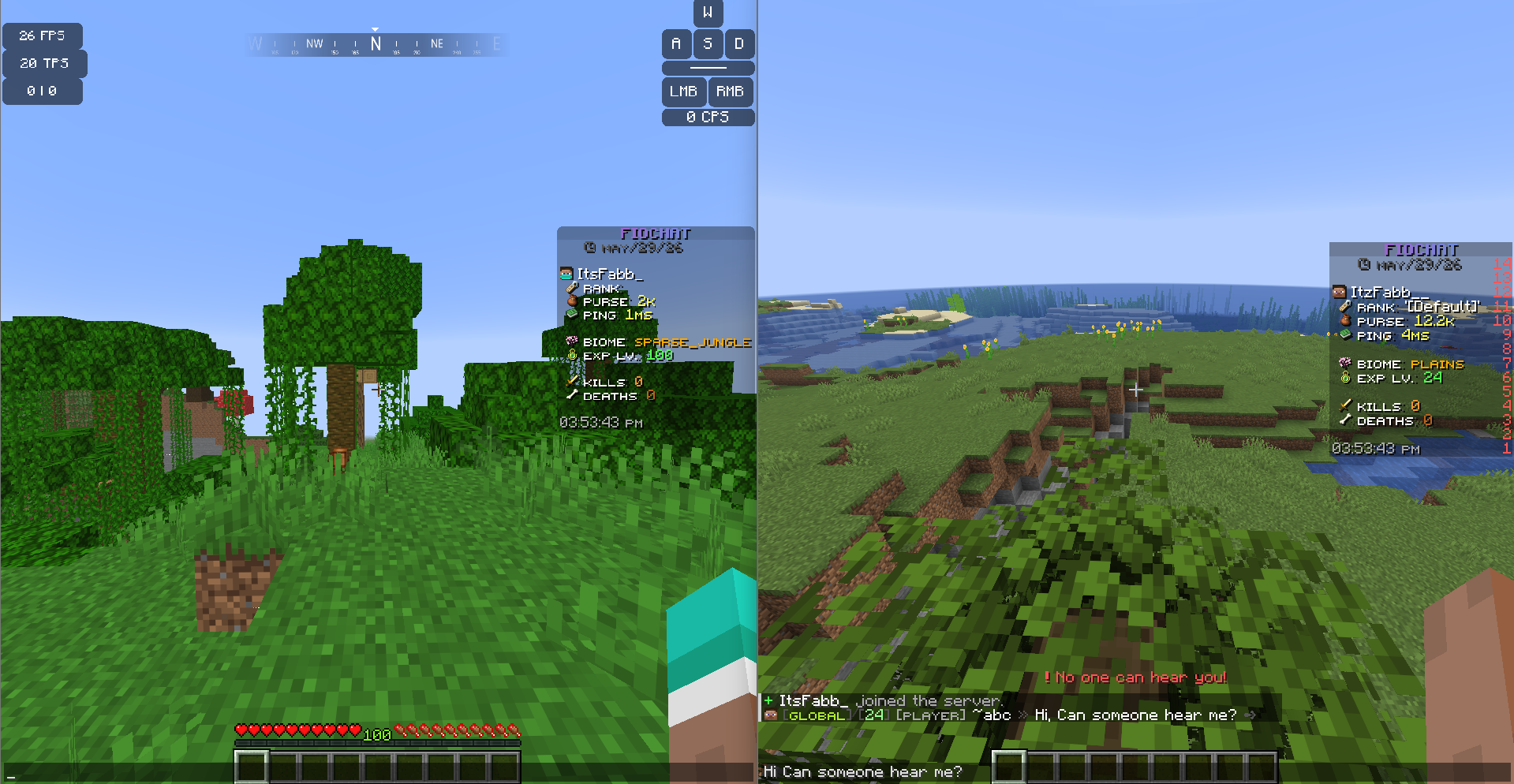
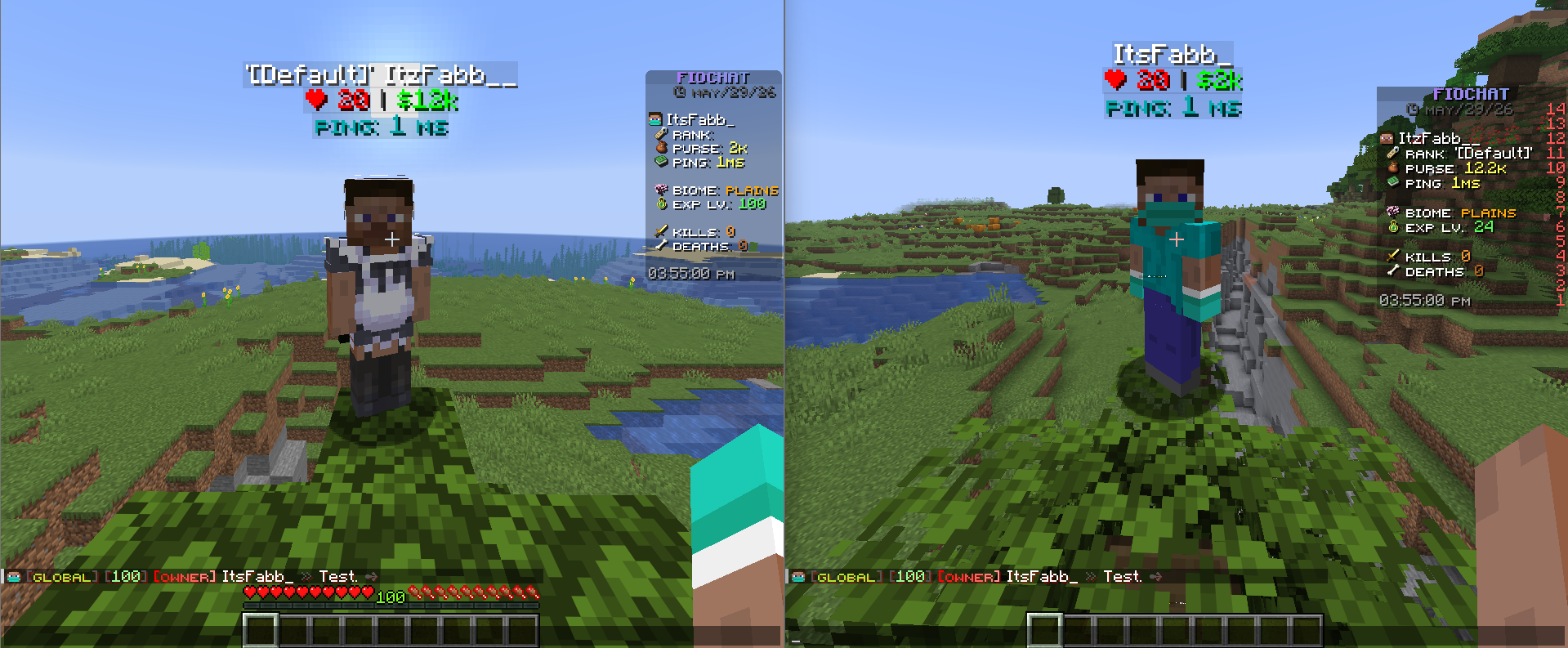
Module Preview

settings.debug-log
settings:
  debug-log: false
settings.debug-log controls module debug logging. The current value is false.
When enabled, FioChat can write extra diagnostic messages while loading radius settings, filtering recipients, and handling no-audience feedback. It does not change who can hear the chat.
settings.radius
settings:
  radius: 120
settings.radius controls the local chat radius in blocks. The current default is 120.
The service clamps the effective radius to at least 1, so values below 1 still behave as 1.
settings.same-world-only
settings:
  same-world-only: true
settings.same-world-only requires the sender and receiver to be in the same world before radius checks can pass. The current default is true.
When this is false, the service can still evaluate distance, but the current build keeps same-world behavior as the normal default.
settings.worlds
settings:
  worlds: []
settings.worlds is an optional world filter for radius mode.
When the list is empty, Chat Radius applies in every world. When the list contains world names, the module only applies in those worlds.
World names are matched case-insensitively.
settings.notifications.no-audience
This section controls what happens when radius filtering leaves the sender with no other listeners.
settings.notifications.no-audience.actionbar
settings:
  notifications:
    no-audience:
      actionbar:
        enabled: true
        text: "<red><bold>!</bold></red> <red>No one can hear you!</red>"
actionbar.enabled controls whether the sender gets an action bar warning. The current default is true.
actionbar.text is the action bar message shown to the sender.
settings.notifications.no-audience.title
settings:
  notifications:
    no-audience:
      title:
        enabled: false
        text: "<red>No one can hear you!</red>"
title.enabled controls whether the sender gets a title warning. The current default is false.
title.text is the title text shown to the sender.
settings.notifications.no-audience.subtitle
settings:
  notifications:
    no-audience:
      subtitle:
        enabled: false
        text: "<gray>Move closer to other players.</gray>"
subtitle.enabled controls whether the sender gets a subtitle warning. The current default is false.
subtitle.text is the subtitle text shown to the sender.
settings.notifications.no-audience.timings
settings:
  notifications:
    no-audience:
      timings:
        fade-in: 5
        stay: 35
        fade-out: 10
These values control the title timing used by the no-audience warning.
The current defaults are 5, 35, and 10 ticks.
settings.bypass.sender-permission
settings:
  bypass:
    sender-permission: "fiochat.chatradius.bypass.sender"
This permission lets the sender ignore the radius limit entirely.
If the sender has this permission, their message can bypass the distance check.
settings.bypass.receiver-permission
settings:
  bypass:
    receiver-permission: "fiochat.chatradius.bypass.receive"
This permission lets a receiver hear chat even when they are outside the configured radius.
Legacy Path Note
The active config path for this build is:
modules/chat/Chat Radius/config.yml
The plugin still knows older legacy paths and can migrate them:
modules/chat-radius/config.yml
modules/chat/radius/config.yml
This page follows the current module path and the current radius-based chat filtering behavior used by the build.
This page is source-backed and includes a short callout so the content reads like a guide instead of plain reference text.