Quickchat Config
Source file:
modules/chat/Quick Chat/config.yml
Important
Set permission limits and GUI flow first, then tune templates and sound feedback.
Module Preview
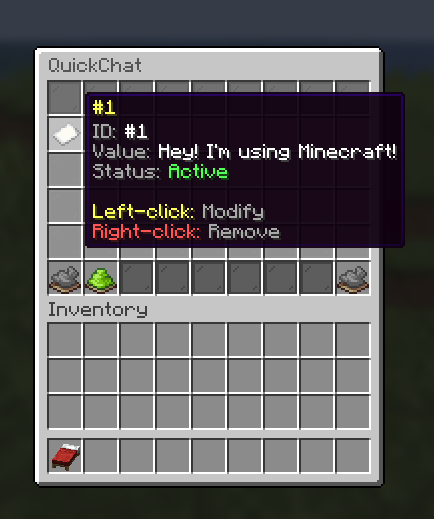
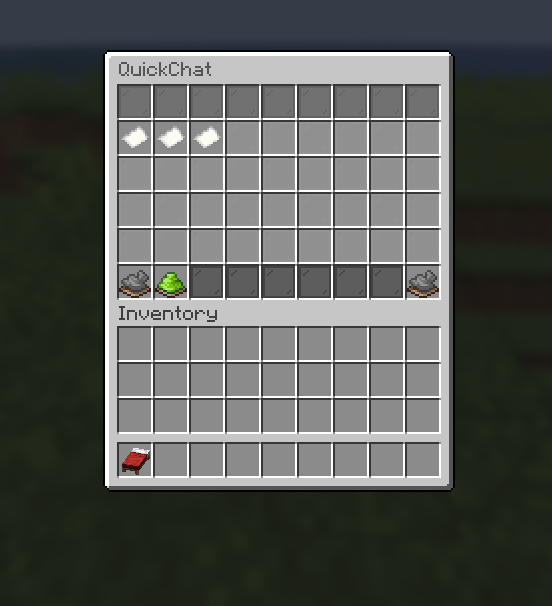
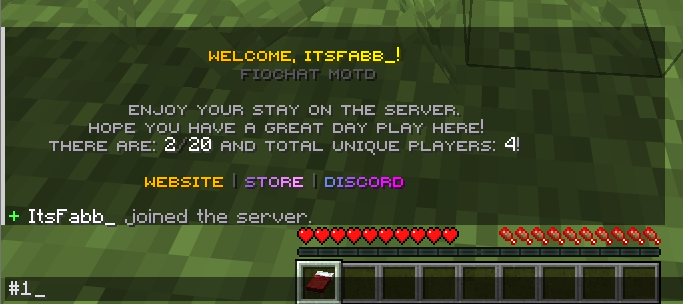
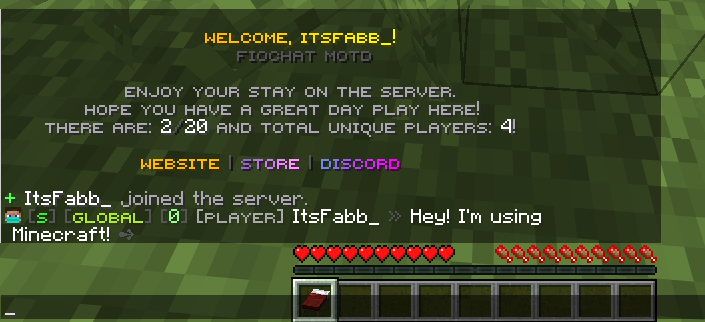
Configuration Files
modules/chat/Quick Chat/config.yml
Event Sound Mapping
UI Feedback Sounds
settings:
  open: "UI_BUTTON_CLICK"
  action: "UI_BUTTON_CLICK"
  success: "ENTITY_EXPERIENCE_ORB_PICKUP"
  cancel: "BLOCK_NOTE_BLOCK_BASS"
- Purpose: Defines sound cues for QuickChat interactions.
- Options:
open: menu open sound.action: generic click/edit interaction.success: creation/save confirmation.cancel: cancellation/invalid operation feedback.
Default Templates
Starter Template Set
defaults:
  templates:
    "1": "Hey! I'm using Minecraft!"
    "2": "Give me a sec, I'm in combat."
    "3": "I'll teleport to you soon."
- Purpose: Provides initial QuickChat presets for new users.
- Options:
- Keep templates short and practical for common situations.
Permission Capacity Controls
Maximum Shortcut Count
permissions:
  max:
    "fiochat.quickchat.max.3": 3
- Purpose: Limits number of QuickChat entries per permission tier.
- Options:
- Add more tiers for VIP/staff plans.
- Example extra node:
fiochat.quickchat.max.10: 10.
GUI List Layout
Window and Grid
gui:
  list:
    title: "<dark_gray>QuickChat</dark_gray>"
    rows: 6
    content-slots:
      - "9-44"
- Purpose: Defines core list view shell and item area.
- Options:
- Keep
6rows for stable controls + pagination.
- Keep
Filler and Decoration Bars
gui:
  list:
    filler-item:
      material: LIGHT_GRAY_STAINED_GLASS_PANE
      name: " "
    decorations:
      BLACK_GLASS:
        slots: [45,46,47,48,49,50,51,52,53]
      GRAY_GLASS:
        slots: [0,1,2,3,4,5,6,7,8]
- Purpose: Separates content from control/navigation areas.
- Options:
- Keep decoration slots outside content slots.
Add / Entry Actions
Add Button
gui:
  list:
    add:
      slot: 46
      material: LIME_DYE
      name: "<green>Add QuickChat</green>"
      actions:
        - "QUICKCHAT_ADD"
- Purpose: Creates new user shortcut entry.
- Options:
- Display
%current%/%max%in lore for clear capacity state.
- Display
Entry Item Behavior
gui:
  list:
    entry:
      material: PAPER
      name: "<yellow>#%keyword%</yellow>"
      actions:
        - "QUICKCHAT_EDIT_OR_REMOVE"
- Purpose: Represents each existing quickchat shortcut.
- Options:
- Left click: edit.
- Right click: remove.
Pagination Controls
Previous / Next Buttons
gui:
  list:
    buttons:
      previous:
        slot: 45
        material: ARROW
        actions:
          - "PREVIOUS_PAGE"
      next:
        slot: 53
        material: ARROW
        actions:
          - "NEXT_PAGE"
- Purpose: Navigates multi-page shortcut lists.
- Options:
- Keep disabled-state visuals for first/last page boundaries.
Operational Recommendations
Template Design Rules
- Use short, context-driven replies.
- Avoid templates with sensitive personal data.
- Keep keyword naming consistent and memorable.
Capacity Strategy
- Default players: small cap (3-5).
- VIP/supporter roles: medium cap (8-12).
- Staff roles: higher cap if workflow needs it.
Owner Validation
- Test add/edit/remove cycle in GUI.
- Test permission caps across at least 2 role tiers.
- Test pagination behavior at boundary pages.
- Test placeholder rendering in entry/lore fields.
- Verify sounds are not too loud or repetitive.