Java Menus
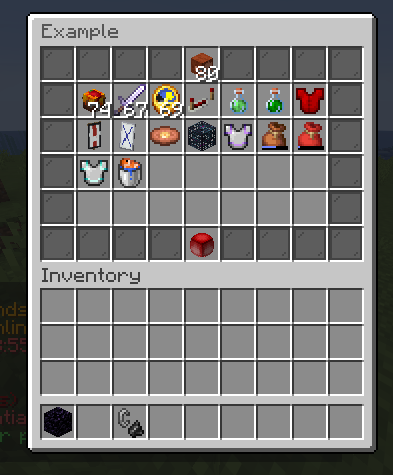
Java menus are the main menu format in FioMenu. They use a menu: block plus an items: block, with menu.structures deciding where each item token appears.
Core menu structure
The common Java menu layout pattern is:
menu:
  title:
  rows:
  type:
  structures:

items:
Important fields shown by the source examples:
titlerowstypealways_refreshcommandaliasesargsbedrockanimatedcmds.priority.modeopen.rules0,open.rules1, and so on
Token-based layout
menu.structures maps visual tokens to item definitions:
structures:
  - 'O O O O I O O O O'
  - 'O G G G G G G G O'
  - 'O O O O X O O O O'
Then items.O, items.I, items.G, and items.X define what those tokens render.
FioMenu also supports indexed token usage such as:
G(1)
G(2)
and sequential item variants such as items.G.1, items.G.2, and so on.
Open rules
The bundled example.yml shows that Java menus can block opening through menu.open.rules0, rules1, and further numbered rules.
Supported rule families documented in the source comments include:
permissionplaceholderexp_pointsexp_levelmoneyworlditemmetacoordinatesstring
Each rule can also run action.failed and action.success.
Click actions
The Java menu examples consistently use action executors such as:
[OPEN_MENU][PLAYER][CONSOLE][MESSAGE][SOUND][CLOSE][REFRESH]
Keep the bracketed source format in your YAML, because that is the form shown throughout the real project files.
Java item actions can also be scoped by click type. The current source maps these click keys:
anyleftrightshift_leftshift_rightqmiddle
Use middle when an item needs a separate action for middle click:
actions:
  left:
    - '[MESSAGE] <gray>Left Click!</gray>'
  right:
    - '[MESSAGE] <gray>Right Click!</gray>'
  middle:
    - '[MESSAGE] <gray>Middle Click!</gray>'
In the Java listener, creative clone-wheel clicks are cancelled and handled as FioMenu middle actions, so use the middle key in menu YAML.
Dynamic commands
example.yml, warps.yml, profile.yml, and other bundled files show that menus can register command labels dynamically:
menu:
  command: "warps"
  aliases:
    - "warp"
Priority behavior is controlled by:
cmds:
  priority:
    mode: HIGHEST
The source comments document valid modes such as MONITOR, HIGHEST, HIGH, MEDIUM, LOW, and LOWEST.
Profile argument menus
profile.yml shows a useful source-backed pattern for argument-driven menus:
args:
  - "$player;self=true"
That menu then reuses $player in:
titleplayer_ownernamelore- click messages
Use this pattern when one menu should render data for a target player rather than always using the viewer.
Dynamic rendering
dynamic_menu.yml and profile.yml show live rendering through placeholder-driven fields such as:
- dynamic
material - dynamic
amount - dynamic
behavior.durability behavior.fallback.enabledrefresh: true
This is the correct source-backed pattern for equipment viewers, item previews, or live-held-item displays.
Practical source examples
settings.yml
Shows a compact settings menu with:
- Bedrock linkage through
bedrock: "settings" G(1)throughG(4)indexed token layout- priority-based conditional item variants
[REFRESH]after state-changing actions
warps.yml
Shows a simple command-driven navigation menu with:
command: 'warps'- alias
warp cmds.priority.mode- direct teleport command actions such as
[PLAYER] warp market
profile.yml
Shows target-player inspection with:
$playerargument binding- dynamic material and durability rendering
- fallback items when equipment is absent
example.yml
Shows the broadest feature coverage, including:
- open rules
- animation linkage
- Bedrock allocation
- potion data
- armor trims
- banner patterns
- bundle contents
- custom model data
Recommended learning order
If you want to understand how Java menus are meant to be authored in this build, read the source in this order:
warps.ymlsettings.ymlprofile.ymldynamic_menu.ymlexample.yml