Item Displays Config
Source file:
modules/display/Item Display/config.yml
Important
Configure token safety and cooldown first, then expand hover/click experience. This prevents chat spam and abusive GUI calls.
Module Preview
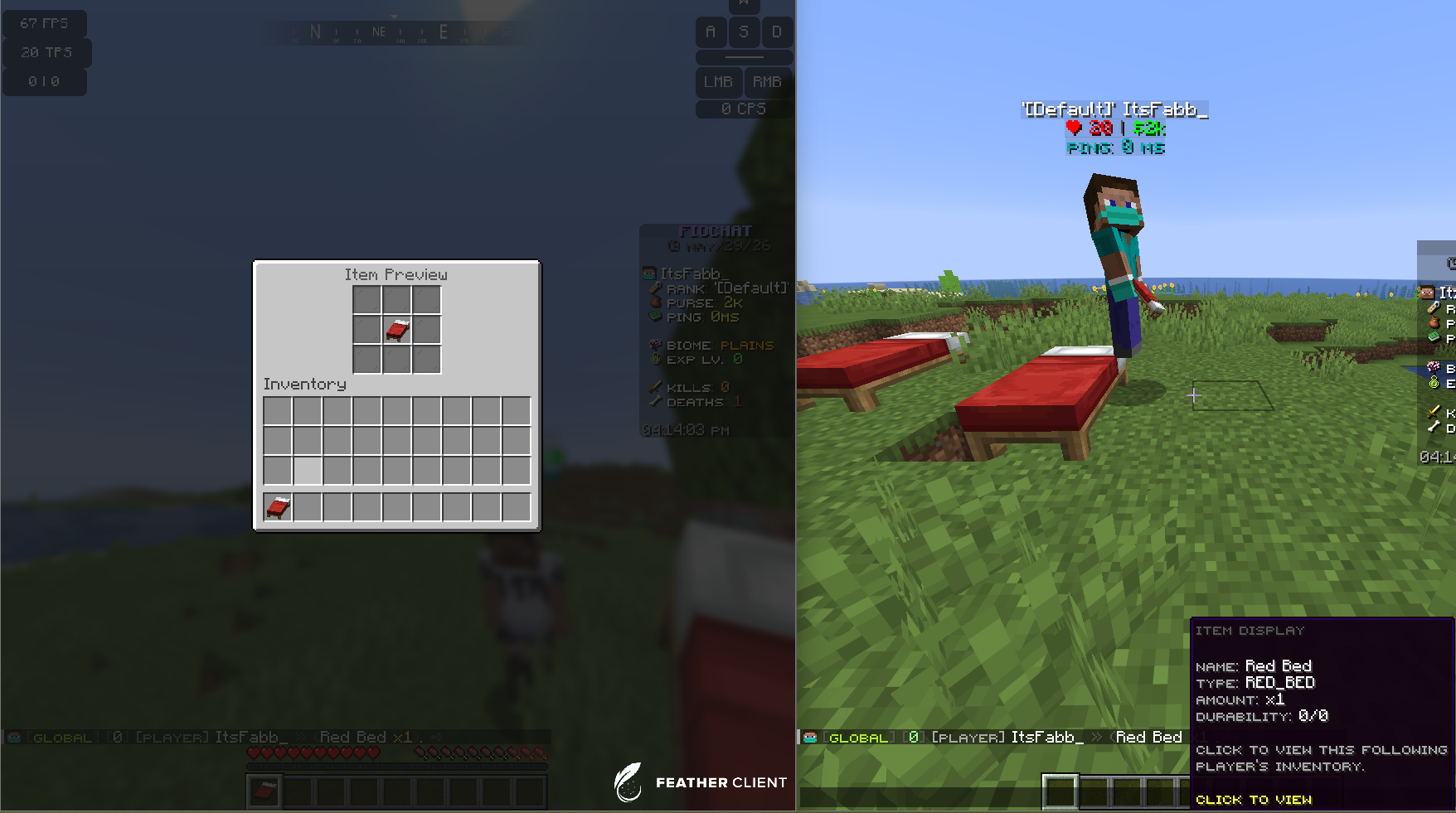
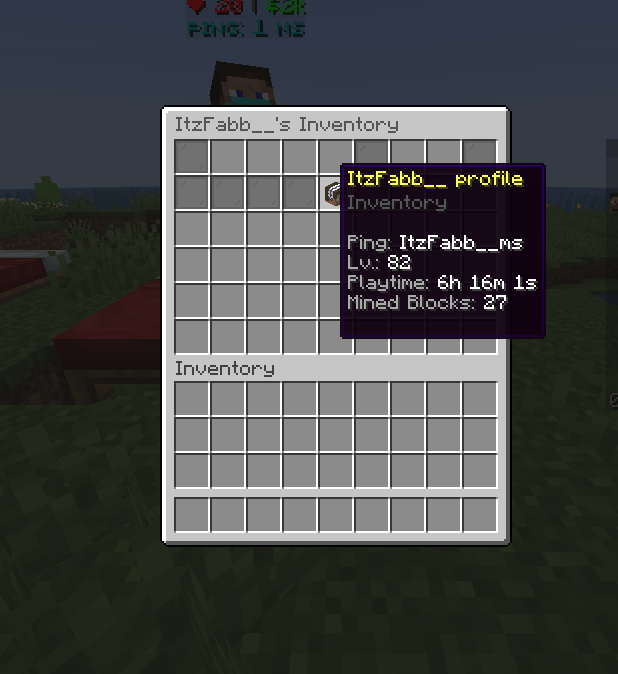
Core Behavior
Chat Replacement Toggle
settings:
  replace-in-chat: true
- Purpose: Enables token replacement in chat messages.
- Options:
true: tokens like[item]are parsed and replaced.false: tokens remain plain text.
Display Token Architecture
Each display under displays.<name> typically includes:
enabledaliasescooldownformathoverclick
Standard Displays
Item Display
displays:
  item:
    enabled: true
    aliases: ["[item]", "[i]"]
    cooldown:
      enabled: true
      seconds: 120
    format: "<dark_gray>(</dark_gray><white>%item_name%</white> <yellow>x%amount%</yellow><dark_gray>)</dark_gray>"
    click:
      type: "GUI"
      link-to: "item"
      value: ""
- Purpose: Shares held item preview in chat.
- Options:
- Keep cooldown enabled to prevent repeated post spam.
Profile Display
displays:
  profile:
    enabled: true
    aliases: ["[profile]", "[p]"]
    cooldown:
      enabled: true
      seconds: 120
    format: "<dark_gray>(</dark_gray><white>%player_name%</white>'s Profile<dark_gray>)</dark_gray>"
    click:
      type: "GUI"
      link-to: "profile"
- Purpose: Opens quick profile view from chat token.
Inventory Display
displays:
  inventory:
    enabled: true
    aliases: ["[inventory]", "[inv]"]
    cooldown:
      enabled: true
      seconds: 120
    format: "<dark_gray>(</dark_gray><white>%player_name%</white>'s Inventory<dark_gray>)</dark_gray>"
    click:
      type: "GUI"
      link-to: "inventory"
- Purpose: Shares player inventory panel from chat.
Ender Chest Display
displays:
  enderchest:
    enabled: true
    aliases: ["[enderchest]", "[ec]"]
    cooldown:
      enabled: true
      seconds: 120
    format: "<dark_gray>(</dark_gray><white>%player_name%</white>'s Ender Chest<dark_gray>)</dark_gray>"
    click:
      type: "GUI"
      link-to: "enderchest"
- Purpose: Shares ender chest snapshot via chat token.
Custom Displays
URL-Type Custom Token
displays:
  custom:
    vote:
      enabled: true
      aliases: ["[vote]", "[votelink]"]
      format: "<dark_gray>(</dark_gray><gold><smallfont:vote links></gold><dark_gray>)</dark_gray>"
      click:
        type: "OPEN_URL"
        value: "https://store.example.com/vote"
- Purpose: Opens external links from controlled token.
- Options:
- Use trusted domains only.
Book-Type Custom Token
displays:
  custom:
    rules:
      enabled: true
      aliases: ["[rules]"]
      format: "<dark_gray>(</dark_gray><red><smallfont:rules></red><dark_gray>)</dark_gray>"
      click:
        type: "BOOK"
        book:
          title: "<gold>Server Rules"
          author: "FioChat"
- Purpose: Opens inline book for rules or info pages.
- Options:
- Keep book pages concise and readable.
Hover and Click Strategy
Hover Lines
hover:
  lines:
    - "<dark_gray><smallfont:item display></dark_gray>"
    - "<gray><smallfont:Click to view></gray>"
- Purpose: Adds context before click action.
- Options:
- Keep hover short to avoid large tooltip blocks.
Click Types
click:
  type: "GUI"      # or OPEN_URL / BOOK
  link-to: "item"
  value: ""
- Purpose: Defines what happens when user clicks rendered token.
- Options:
GUI: open plugin GUI panel.OPEN_URL: open trusted web link.BOOK: open generated in-game book.
Cooldown and Anti-Spam
Recommended Cooldown Baseline
cooldown:
  enabled: true
  seconds: 120
- Purpose: Prevents token spam and repeated heavy GUI requests.
- Options:
- Lower for private servers.
- Higher for large public servers.
Operational Recommendation
Start with item + inventory only, validate stability, then enable profile, enderchest, and custom tokens.
Owner Validation
- Test each alias token in chat and verify exact replacement.
- Test cooldown enforcement with rapid repeated token usage.
- Test each click type (
GUI,OPEN_URL,BOOK) separately. - Verify custom links/books do not expose unsafe content.
- Verify placeholders render correctly for different player states.